
Appearance
What to do if your Gameserver crashes
Don’t panic check the error logs first
If your Xeltrik Hosting game server becomes unavailable, there can be several possible reasons. In this situation, it’s important not to restart the server immediately.
First, check the server console in the web interface. You can find it in the Dashboard under Server. The console displays logs and error messages that usually provide clear information about why the server stopped or crashed.
Restarting the server right away may overwrite or reset these logs, causing important error details to be lost and making troubleshooting more difficult.
INFO
➜ Always review the server console before restarting your server. This helps identify the root cause of crashes.
First option restore your Backup
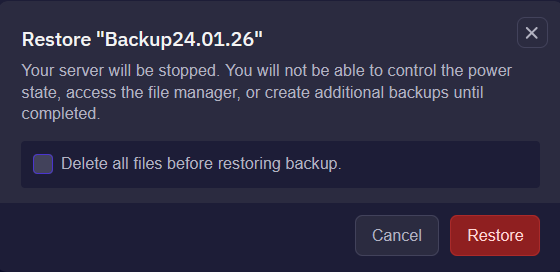
To restore your server from a backup, open the Backups section in the web interface. Use the green restore icon to load the most recent backup. After the restore process is finished, your server should be running normally again.
If you plan to restore a backup later, we strongly recommend creating a manual backup in advance via the web interface. This ensures that a current restore point is always available.
INFO
➜ Before creating a backup, make sure your server is in a stable state and no updates or installations are running. This helps prevent corrupted or incomplete backups and ensures a reliable restore if needed.
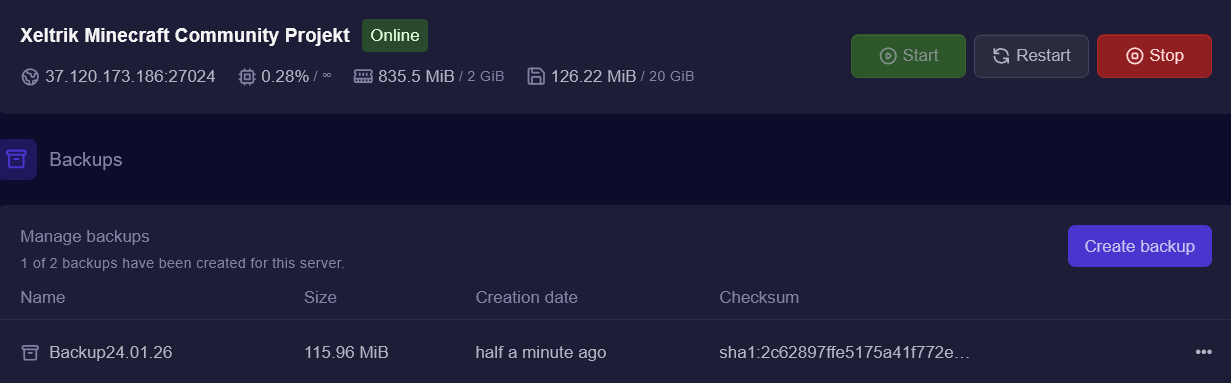
➜ Klick one right 3 points to restore your backup.
Second Option Reinstall the Server
You can start a server reinstallation via the Settings menu in the web interface. This process completely resets the server to its original state, similar to a fresh setup on the first day.
During the reinstallation, all existing server data will be removed. This option is recommended if configuration issues can no longer be resolved or if the server is no longer starting correctly. Make sure to create a backup beforehand if you want to keep your data. 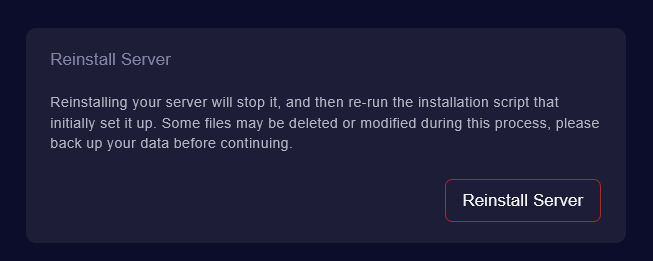
INFO
➜ Before creating a backup, make sure your server is in a stable state and no updates or installations are running. This helps prevent corrupted or incomplete backups and ensures a reliable restore if needed.